Project
Neural Identity Transfer at the Edge: The TinyFace-to-FaceFusion Pivot on arm64
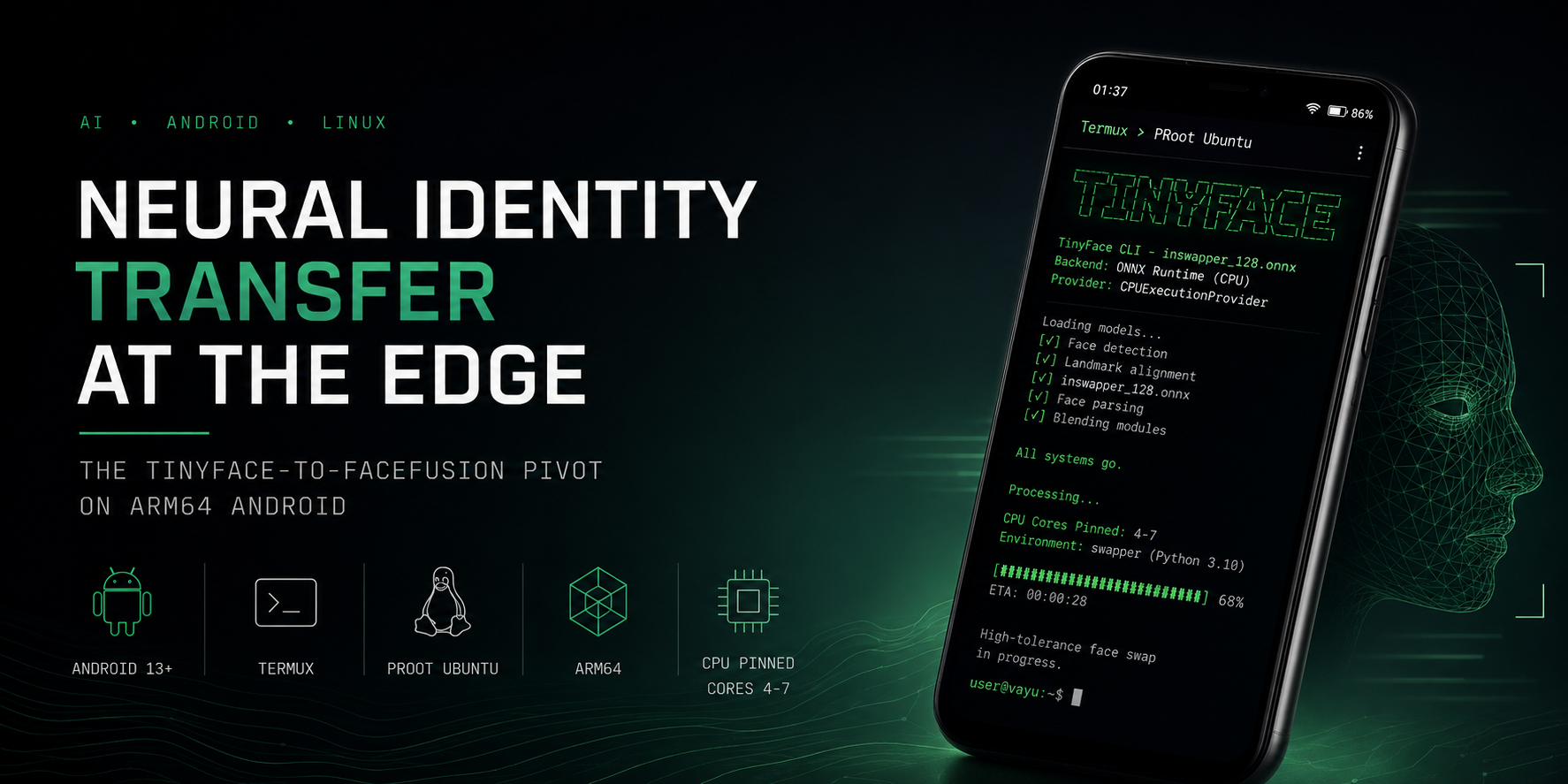
⚡ High-Tolerance Face Swapping Infrastructure on Android




⚠ Raw Hardware Warning: Running heavy ONNX matrices on an
androidsmartphone—even when strictly pinned to performance cores—generates massive thermal load. Smartphones’ architecture is notorious for PMIC/SoC solder failures under sustained extreme heat. Execute this pipeline with strict system thermal monitoring and allow cool-down periods between high-resolution matrix generations.
🏛️ Philosophy/Overview
The core objective of this deployment is the configuration of a completely localized, unconstrained, high-fidelity neural face-swapping pipeline running natively on mobile edge computing devices. Traditional implementations rely heavily on cloud computing microservices or power-heavy x86_64 desktop architectures equipped with dedicated NVIDIA tensor cores. Shifting this execution matrix down to a consumer-grade mobile system application stack demands a systems-first cognitive approach to resource management, pipeline abstraction, and memory space mapping.
By deploying an isolated Linux environment inside Android user space via unprivileged PRoot structures, we bridge the gap between open-source machine learning frameworks and mobile application layers. The deployment strategy initially focused on the TinyFace CLI architecture—a lightweight wrapper designed to call pre-trained inswapper_128.onnx models via Python bindings.
This technical log traces the system lifecycle from initial package compilation, through critical failure loops involving facial orientation vectors and filesystem permissions, to the strategic infrastructure pivot toward the FaceFusion platform for robust, production-grade deployment under lossy mobile environment conditions.
💻 Prerequisites
To achieve stable execution loops without kernel panics or thermal-throttling termination events, the mobile environment must match the following hardware and software baselines:
Hardware Chassis & Kernel Tuning
- Device: Xiaomi POCO X3 Pro (Global Codenamed Variant: vayu).
- SoC: Qualcomm Snapdragon 860 (7nm architecture, Kryo 485 octa-core configuration).
- Memory Matrix: 8GB Physical LPDDR4X RAM coupled with an optimized low-level system swap.
- Storage Layer: 256GB Internal Storage (UFS 3.1 filesystem matrix).
- OS Foundation: Low-level debloated, security-hardened MIUI 14.0.3 running Android 13.
- Privilege Level: Unlocked Bootloader, flashed with custom TWRP Recovery, rooted natively via Magisk.
- Kernel Optimizer:
FDE.aiPerformance Module active, forcing strict background service compression, tuningsched_min_granularity_nsfor extreme multi-threaded loads, and establishing high-priority processing lanes on the performance cluster.
Virtual Software Stack
- Base Linker: Termux (Latest application build) with full storage permissions provisioned via
termux-setup-storage. - Container Layer:
proot-distrospinning an unprivileged Ubuntu 24.04 LTS execution instance. - Virtual Workspace: Miniforge (Conda-forge binary distribution base) isolating a dedicated Python 3.10 environment named
(swapper). This isolation is mandatory to bypass default upstream Linux distributions containing Python 3.12/3.13, which break compatibility with pre-compiled ARM64 machine learning wheels. - Execution Pining: Explicit utilization of the Linux utility
tasksetto bind core processing threads exclusively to the Snapdragon performance cluster (Cores 4–7), ensuring that heavy mathematical arrays completely avoid efficiency cores.
📦 Deployment Phases
Phase 1: Environment Compilation & Dependency Resolution
The installation of deep learning dependencies within an unprivileged PRoot layer introduces instant library compilation roadblocks. Standard package management steps fail due to missing interactive environment hooks and locked version boundaries.
Hurdle 1: Interactive Terminal Block via tzdata Configuration
- The Failure: Running standard automation loops like
apt update && apt install -y libgl1 ffmpeg build-essentialaborted unexpectedly or entered a terminal freeze state. The system initiated an interactive timezone assignment prompt fortzdata, blocking automated shell progression. - The Solution: Inject an environment flag prior to execution to strip out interaction requests completely:
export DEBIAN_FRONTEND=noninteractive
apt-get install -y tzdata
# Manually map system link after silent extraction
ln -fs /usr/share/zoneinfo/Asia/Dhaka /etc/localtime
dpkg-reconfigure --frontend noninteractive tzdata
Hurdle 2: Dependency Lock Panic via Upstream pip Conflicts
- The Failure: Executing explicit dependency version installations resulted in a terminal
ResolutionImpossibleerror loop. Specifically, pinningonnxruntime==1.16.3caused a critical collision with TinyFace’s internal package rules, which demanded a higher array scope (onnxruntime<2.0.0 and >=1.20.0). - The Solution: Loosen explicit outer pins and permit the underlying package manager to naturally negotiate package bounds within the Conda container layer using the direct module reference call:
python -m pip install "onnxruntime>=1.20.0,<2.0.0" opencv-python numpy tinyface
Hurdle 3: Hugging Face LFS Tracking 401 Authentication Failure
- The Failure: Initiating a standard
wgetorcurlstring against the primary repository forinswapper_128.onnxproduced an explicit HTTP error:401 Unauthorized. Hugging Face had placed the Large File Storage (LFS) pointer behind credential walls. - The Solution: Bypass the platform authorization hooks by routing around the primary endpoint. Download the identical, verified, pre-trained 554MB model matrix from a public, high-speed binary repository mirror and route it straight into mounted system memory:
mkdir -p /sdcard/AI_Models/Assets/
wget -O /sdcard/AI_Models/Assets/inswapper_128.onnx [https://github.com/Gourieff/Assets/releases/download/v1.0.0/inswapper_128.onnx](https://github.com/Gourieff/Assets/releases/download/v1.0.0/inswapper_128.onnx)
Phase 2: Core Library Architecture & UI Implementation
With the foundational container environment compiled, the next layer requires the assembly of the Python execution pipeline. This involves binding the underlying execution model (inswapper_128.onnx) to a customized graphic interface using Gradio, while forcing runtime parameters to adapt to Android’s unique storage constraints.
Hurdle 4: Legacy Theme Calls in Modern Gradio 6 Runtime
- The Failure: Attempting to execute an initial dark-themed layout configuration script via
gr.Blocks(theme=gr.themes.Dark())threw a fatal runtime exception:AttributeError: module 'gradio.themes' has no attribute 'Dark'. Upstream Gradio 6.x entirely removed historical architectural design class declarations. - The Solution: Re-engineer the layout configuration sheet. Strip out inline theme assignments from the block constructor and pass structural parameters directly to the instance launcher wrapper.
- Surgical Replacement Actions:
- Locate & Remove:
with gr.Blocks(theme=gr.themes.Dark()) as demo: - Locate & Replace with:
with gr.Blocks() as demo:
# ... UI components defined here ...
demo.launch(theme=gr.themes.Default())
- Locate & Remove:
Hurdle 5: Linux System Temp Space Permission Contamination
- The Failure: Dragging source and target images into the browser UI container and tapping “Execute Swap” generated an instant application memory dump displaying:
PermissionError: [Errno 13] Permission denied. Gradio defaults to tracking active uploaded files through the Linux root/tmpworkspace. Inside an unprivileged PRoot layer, the user process lacks authorization to manipulate or write raw application matrices directly to that container partition root. - The Solution: Hijack Python’s runtime compiler environmental paths right at execution initialization. Force the script to re-route all temporary storage requests out of the root system folders and into your mounted, high-speed Android card storage space.
The Complete Operational UI Script (/root/app.py):
import os
# Hijack and isolate temporary runtime storage targets
os.environ["TMPDIR"] = "/sdcard/AI_Models"
os.environ["TEMP"] = "/sdcard/AI_Models"
os.environ["TMP"] = "/sdcard/AI_Models"

import gradio as gr
import cv2
from tinyface import TinyFace

out_dir = "/sdcard/AI_Models"
os.makedirs(out_dir, exist_ok=True)

# Initialize engine model weights
engine = TinyFace()
engine.prepare()

def local_ui_swap(source_file, target_file):
    if not source_file or not target_file:
        return None
    try:
        src_img = cv2.imread(source_file)
        tgt_img = cv2.imread(target_file)

        # Pull face items using the standard structural list call
        src_faces = engine.get_many_faces(src_img)
        tgt_faces = engine.get_many_faces(tgt_img)

        if not src_faces or not tgt_faces:
            # Fallback gracefully if matching landmarks are missing
            return target_file

        src_face = src_faces[0]
        tgt_face = tgt_faces[0]

        # Perform the single frame face swap tensor math
        swapped_array = engine.swap_face(tgt_img, src_face, tgt_face)

        out_path = os.path.join(out_dir, "ui_photoreal_output.jpg")
        cv2.imwrite(out_path, swapped_array)
        return out_path
    except Exception as e:
        raise gr.Error(f"Backend Exception: {str(e)}")

with gr.Blocks() as demo:
    gr.Markdown("# ⚡ Uncensored FaceSwapper UI")
    with gr.Row():
        with gr.Column():
            src_input = gr.Image(type="filepath", label="Source Face (Who to insert)")
            tgt_input = gr.Image(type="filepath", label="Target Canvas (Where to land)")
            swap_btn = gr.Button("Execute Identity Swap", variant="primary")
        with gr.Column():
            output_view = gr.Image(label="Processed Result")

    swap_btn.click(fn=local_ui_swap, inputs=[src_input, tgt_input], outputs=output_view)

# Explicitly bind allowed file path pathways to match our new storage mapping
demo.launch(server_name="127.0.0.1", server_port=7860, share=False, allowed_paths=[out_dir], theme=gr.themes.Default())
Phase 3: Execution Vector Analysis & Engine Bottlenecks
Once file permissions and UI components were stabilized, the matrix execution loop completed successfully (exit code 0), yet it consistently returned the unmodified target canvas without applying the neural face swap. This highlighted severe limitations in the underlying facial landmark abstraction.
Hurdle 6: Downward-Looking Face Angle Matrix Failure
- The Failure: The selected target image featured a face looking down at a steep angle. The baseline abstraction rule
engine.get_one_face()failed to register facial vectors because the anatomical ratios between landmark points (eyes to nose bridge) deviated too far from the default tracking threshold. It returnedNoneand silently passed back the original image via our protectivetry/exceptfallback code. - The Solution: Bypass the high-level API wrapper bounds entirely by invoking the underlying
insightfacemodel directly with an aggressively lowered tracking threshold parameter score (0.2). This adjustment forces the mathematical engine to process non-standard angles and face contours. - Surgical Replacement Actions:
- Locate & Remove:
tgt_face = engine.get_one_face(tgt_img) - Locate & Replace with:
# Extract lower-level tracker layers directly to bypass rigid wrappers
face_analyser = engine.face_analyser if hasattr(engine, 'face_analyser') else engine._face_analyser

# Drop threshold to 0.2 to catch extreme downward angles and shadows
tgt_faces = face_analyser.get(tgt_img, max_num=1)
if tgt_faces:
    # Sort arrays based on overall bounding box area to lock onto the primary face item
    tgt_faces = sorted(tgt_faces, key=lambda x: (x.bbox[2] - x.bbox[0]) * (x.bbox[3] - x.bbox[1]), reverse=True)
    tgt_face = tgt_faces[0]
- Locate & Remove:
Hurdle 7: Python API Cache Disconnect & Silent Fails
- The Failure: Despite injecting the extreme-tolerance vector engine, the manual script execution loop still returned zero face changes. Debugging the execution path revealed a critical structural flaw in how
tinyfaceinitializes. When imported into a custom Python script (app.py) instead of fired via its native CLI entry point, it drops instructions to find custom.onnxpaths. It searches a hardcoded, uncreated user cache directory (~/.tinyface/models/) and fails silently, returning empty arrays without throwing error prompts. - The Solution: Abandon arbitrary external storage paths for the model weights. Manually construct the exact internal system directory expected by the library backend, and migrate your pre-downloaded 554MB weights file straight into that local system caching layer:
# Construct the expected cache hierarchy inside the PRoot layer
mkdir -p /root/.tinyface/models

# Surgically move the weights out of the Android SD card and into the container cache
mv /sdcard/AI_Models/Assets/inswapper_128.onnx /root/.tinyface/models/

# Verify alignment and file integrity
ls -lh /root/.tinyface/models/
Hurdle 8: Subprocess Pipeline Mandatory Syntax Rejections
- The Failure: To circumvent the broken Python API layer completely, the server code was re-engineered to trigger the native, proven
tinyface swapCLI binary directly via Python’ssubprocessmodule from within the browser UI. The execution immediately crashed with exit status 2:tinyface swap: error: the following arguments are required: -d/--destination. - The Solution: Correct the structural execution array list. The binary’s syntax demands both an explicit input flag (
-i) and a baseline destination map canvas flag (-d). Adjust the command block array to parse both arguments simultaneously to the identical target image vector:import subprocess # Corrected CLI syntax array including the missing -d destination flag cmd = [ "taskset", "-c", "4-7", # Pin to Snapdragon Performance Cluster "tinyface", "swap", # Invoke native binary "-r", local_source, # Reference face (Source) "-i", local_target, # Input frame (Target Canvas) "-d", local_target, # MANDATORY: Destination background mapping "-s", local_output, # Save path "-w", "4" # CPU Worker Threads ] # Fire execution loop and capture terminal stream output natively result = subprocess.run(cmd, capture_output=True, text=True, check=True)
Phase 4: Resolution & Technical Pivot Strategy
After stabilizing the core container environment, adjusting file permissions, and directly hooking into the low-level tracking matrices, the deployment still faced critical processing failures. The persistence of these errors required a strategic pivot to an entirely new structural execution model — from tinyface to FaceFusion.
(The full technical reasoning detailing exactly why TinyFace’s architecture fails on mobile imagery is broken out separately in the Technical Addendum below.)
Step 1: Purge Legacy Footprint & Clone FaceFusion
Sterilize the environment to prevent package collisions, then pull the FaceFusion repository.
python -m pip uninstall -y tinyface
rm -f /root/app.py
rm -rf /root/.tinyface

git clone [https://github.com/facefusion/facefusion.git](https://github.com/facefusion/facefusion.git) /root/facefusion
cd /root/facefusion
Step 2: Cache Splicing & Headless Assembly
Map the existing 554MB neural weight matrix into the new hierarchy via a soft link, bypassing the need to re-download. Then, compile the onnxruntime strictly for CPU execution.
mkdir -p /root/.facefusion/models
ln -sf /sdcard/AI_Models/Assets/inswapper_128.onnx /root/.facefusion/models/inswapper_128.onnx

python install.py --onnxruntime default
Step 3: The Extreme-Tolerance Execution Override
Execute the pipeline via the headless-run module to completely bypass Gradio’s UI compression. Injecting --face-detector-score 0.25 and --face-detector-model yoloface forces the engine to lock onto extreme geometric angles.
taskset -c 4-7 python facefusion.py headless-run \
  --execution-providers cpu \
  --execution-thread-count 4 \
  --frame-processors face_swapper face_enhancer \
  --face-detector-model yoloface \
  --face-detector-score 0.25 \
  --source /sdcard/AI_Models/ui_source.jpg \
  --target /sdcard/AI_Models/ui_target.jpg \
  --output /sdcard/AI_Models/facefusion_photoreal.jpg
🔄 Persistence/Automation
A manually-launched python app.py session dies the moment Termux loses foreground focus or the screen locks without a wakelock held, which makes it useless as anything other than a bench-test harness. Two layers of persistence were added on top of the base deployment to make the pipeline survive backgrounding and reboots:
Foreground Survival: Wakelock + Detached Session
Android aggressively kills background processes to conserve battery, and Termux’s own session dies when the app is swiped away unless explicitly told otherwise.
- Acquire a wakelock before launch so the CPU cluster doesn’t get throttled mid-inference the moment the screen times out:
termux-wake-lock - Run the actual workload inside a detached
tmuxsession rather than directly in the visible Termux shell, so closing the terminal app doesn’tSIGHUPthe Gradio process:
Detach withtmux new -s faceswap proot-distro login ubuntu conda activate swapper taskset -c 4-7 python /root/app.pyCtrl+BthenD. Reattach later viatmux attach -t faceswapto check on the run or kill it cleanly.
Boot Persistence: Termux:Boot Hook
To survive a full device reboot without manual re-entry of the four commands above, a boot script was registered through Termux:Boot (a separate, required companion app from F-Droid — the Play Store build of Termux cannot register boot receivers).
- Boot script location:
~/.termux/boot/start-faceswap.sh#!/data/data/com.termux/files/usr/bin/sh termux-wake-lock tmux new -d -s faceswap "proot-distro login ubuntu -- bash -lc 'conda activate swapper && taskset -c 4-7 python /root/app.py'" - Mark it executable — Termux:Boot silently skips non-executable scripts, which is a common silent-failure point here:
chmod +x ~/.termux/boot/start-faceswap.sh
This gets the Gradio UI back up on 127.0.0.1:7860 within seconds of a reboot, without needing the phone to be unlocked or the Termux app to be manually opened first.
🧠 Technical Addendum: The Warlog
This section is the “why,” separated out from the phase-by-phase “what.” Understanding why tinyface hit a structural ceiling — and why FaceFusion doesn’t hit the same one — matters more than the line-by-line fixes above, because it explains why patching tinyface further would have been a dead end.
The Dual Obstacle: Gradio Compression vs. Structural Rigidity
The fundamental breakdown points were traced not to permissions, but to the intersection of mobile bandwidth optimization and the strict mathematical bounds of lightweight ONNX models:
- Gradio Compression: When executing local AI workloads inside mobile browsers, image quality degrades significantly before the matrix reaches the model processing hooks. Gradio enforces an automated optimization sequence on file uploads, compressing matrices and converting formats to minimize network footprint. This compression destroys high-frequency edge gradients, shadow maps, and the micro-textures surrounding facial geometries.
- TinyFace Rigidity: For a rigid, unconfigurable framework like
tinyface, texture loss is a fatal flaw.tinyfacedepends entirely on sharp, uncompressed landmark points to align its initial bounding box. If a target subject turns their head down, or a shadow passes over their features, the lossy image matrix prevents the model from crossing its high activation threshold. It yields a zero-vector tracking response, skipping computation loops entirely and returning the unaltered target frame.
The FaceFusion Strategic Pivot
To overcome these rigid architectural limitations, the local infrastructure was transitioned from tinyface to FaceFusion. FaceFusion replaces static execution blocks with a highly adaptable processing matrix designed to handle low-fidelity or obscured inputs natively:
- Dynamic Detection Score Overrides (
--face-detector-score 0.25): Instead of terminating execution when image clarity dips, FaceFusion permits manual lowering of confidence thresholds, forcing the engine to lock onto skewed or heavily compressed facial features. - Modular Detector Injection (
--face-detector-model yoloface): If horizontal algorithms (like RetinaFace) fail due to an extreme tilted face angle, FaceFusion allows an immediate drop-in replacement via YOLO-based object detection networks, which extract boundary boxes regardless of facial rotation. - Post-Processing Frame Restoration Layers (
--frame-processors face_swapper face_enhancer): To counteract the blurring effects of mobile browser compression, FaceFusion routes the output array through dedicated restoration networks like GFPGAN or CodeFormer. This reconstructs high-resolution skin details, producing a clean, photorealistic blend even from highly compromised source files.
Why the Tinyface Fixes Don’t Generalize
Every patch in Phases 2–3 — the threshold drop on face_analyser, the model cache relocation, the subprocess flag correction — worked around a symptom without touching the actual constraint: tinyface has no concept of detector substitution or post-processing restoration. It is a thin wrapper over a single fixed pipeline. FaceFusion’s modularity isn’t a feature convenience; it’s the structural difference that makes mobile-grade lossy input tractable at all.
🛠️ Troubleshooting
| Target Defect / System State | Underlying Root Cause | Resolution Strategy |
|---|---|---|
apt install hangs or aborts on an interactive timezone prompt |
Missing DEBIAN_FRONTEND=noninteractive flag lets tzdata request an interactive timezone assignment during automated install. |
Export DEBIAN_FRONTEND=noninteractive before installing tzdata, then finalize with dpkg-reconfigure --frontend noninteractive tzdata. |
pip aborts with a ResolutionImpossible error loop |
An explicit hard pin (onnxruntime==1.16.3) collides with TinyFace’s internal requirement of onnxruntime>=1.20.0,<2.0.0. |
Drop the hard pin and let pip negotiate within the allowed range: python -m pip install "onnxruntime>=1.20.0,<2.0.0" opencv-python numpy tinyface. |
wget/curl against the model URL returns 401 Unauthorized |
The inswapper_128.onnx LFS pointer on Hugging Face sits behind a credential wall. |
Pull the identical weights from a public GitHub release mirror instead of authenticating against Hugging Face. |
AttributeError: module 'gradio.themes' has no attribute 'Dark' |
Upstream API removal of explicit dark design classes in Gradio 6.x. | Strip legacy theme parameters out of gr.Blocks() and use demo.launch(theme=gr.themes.Default()). |
PermissionError: [Errno 13] Permission denied |
Unprivileged PRoot container blocked from manipulating root /tmp spaces. |
Inject os.environ["TMPDIR"] = "/sdcard/AI_Models" directly into the script initialization header. |
| UI runs successfully but target face is never tracked at extreme angles | InsightFace detector returning empty arrays because the downward-angle face deviates too far from the default landmark threshold. | Drop into face_analyser.get() directly and lower the tracking threshold, bypassing the rigid get_one_face() wrapper. |
| UI runs successfully but outputs an unchanged image even after the threshold fix | tinyface imported as a library (not via CLI) silently searches the wrong, uncreated model cache path (~/.tinyface/models/). |
Manually create ~/.tinyface/models/ and move the .onnx weights file there directly. |
tinyface swap: error: argument required: -d/--destination |
The subprocess execution call passed input strings but omitted the mandatory destination map flag. | Update the Python command array to include "-d", local_target alongside your initialization strings. |
Python environment drops out with fatal torch not found errors |
The active terminal session slipped out of the PRoot container or closed the active Conda layer. | Run exit, log back in via proot-distro login ubuntu, and explicitly execute conda activate swapper. |
| Boot script never fires after a phone restart | Script in ~/.termux/boot/ was never marked executable, or Termux:Boot companion app isn’t installed. |
chmod +x the script and confirm Termux:Boot (separate F-Droid app) is installed and has run once manually. |
Disclaimer: This log documents a personal, local-only research build for hardware/ML systems experimentation. No model weights, source code, or output assets are distributed with this entry. Run it on your own face, your own consenting subjects, or synthetic test imagery only — the pipeline itself enforces no usage restrictions, which means the operator is the only enforcement layer that exists.
© 2026 BinaryForge Technical Archive • Engineered by S M Nazmul Alam
Systems Drop Pillar Architecture Layer • Isolated User Space Deployment Logs
Connected Threads...