Project
Stable Diffusion WebUI Forge on Android (Termux/PRoot)
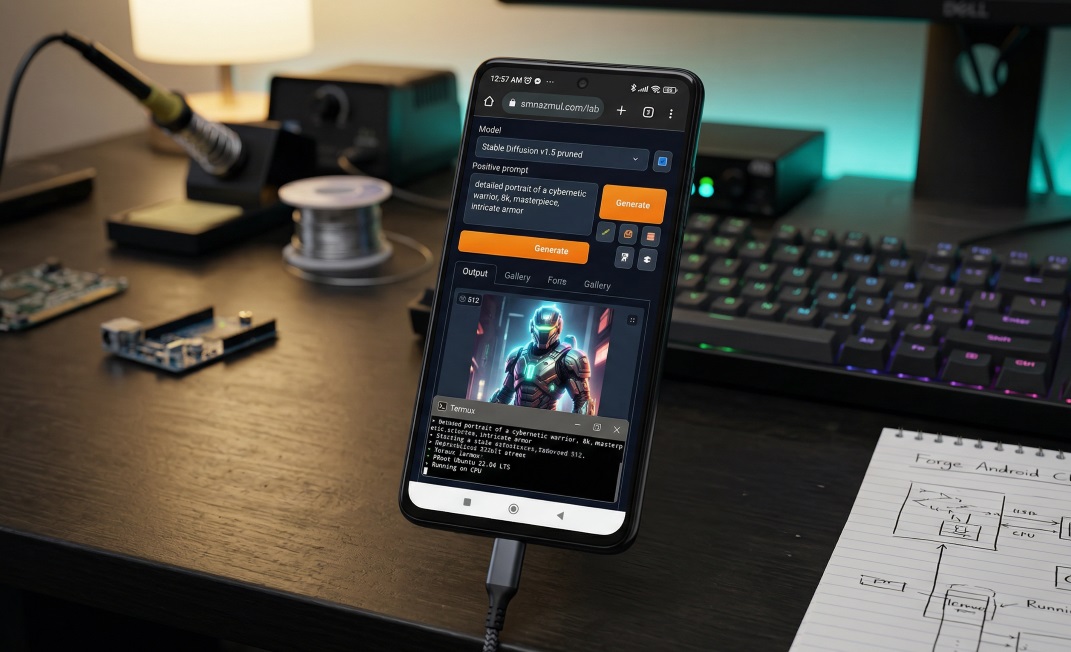
🌟 Project: Stable Diffusion 1.5 WebUI Forge on Android
⚠ Raw Hardware Warning: Running heavy ONNX matrices on an
androidsmartphone—even when strictly pinned to performance cores—generates massive thermal load. Smartphones’ architecture is notorious for PMIC/SoC solder failures under sustained extreme heat. Execute this pipeline with strict system thermal monitoring and allow cool-down periods between high-resolution matrix generations.
🛠 Prerequisites & Environment Setup
The execution environment requires an optimized system configuration to sustain heavy algorithmic workloads without kernel-level panics.
📱 Device Profile & System State
- Hardware Unit: Xiaomi POCO X3 Pro (vayu)
- OS: Low level debloated and hardened MIUI 14.0.3 Android 13
- Processor Architecture: Snapdragon 860 (7nm Qualcomm Kryo 485, Octa-core: $1 \times 2.96\text{ GHz} + 3 \times 2.42\text{ GHz} + 4 \times 1.78\text{ GHz}$)
- Memory Pool: 8GB Physical LPDDR4X RAM + Kernel-level ZRAM Swap extension configured via FDE.ai.
- Storage Allocation: 256GB Internal UFS 3.1 storage with a minimum of 20GB unallocated block space.
- Access State: Bootloader unlocked, Magisk rooted, with complete read/write access to internal
/sdcard/namespaces. - Environment: Termux + PRoot (Ubuntu 22.04 LTS Jammy)
🛠 Device-Level Kernel Tweaks & Optimizations
Before installing Forge, I optimized the Android runtime environment to handle the heavy load of AI generation.
🔧 Kernel / System Optimizations
- FDE.ai Kernel Tweaks:
- Task Scheduling: Adjusted
sched_min_granularity_ns&sched_wakeup_granularity_nsfor smoother task scheduling under high CPU load. - Memory Management: Enabled
zramswap to improve RAM availability during large SD model generation (~3–5 mins per 512×512 image). - Storage I/O: Adjusted I/O scheduler to
mq-deadlinefor faster storage access during model loads/downloads.
- Task Scheduling: Adjusted
- Magisk Root Access:
- Ensures full filesystem access inside the Termux PRoot environment.
- Allows modification of
sysctlparameters for real-time memory & swap tuning.
🎨 Vulkan GPU Readiness
- Current Status: GPU acceleration is not used in this CPU-only Forge build, but the device is Vulkan-capable.
- Driver: Adreno 640 (Vulkan API supported).
- Future Plan: Enable FDE.ai memory swap + Vulkan for faster image rendering. Vulkan readiness ensures a smooth fallback if GPU-based experiments are attempted later.
⚠ Note: These tweaks are optional but highly recommended to improve stability/performance under CPU-only Forge runs.
Goal: Run Stable Diffusion WebUI Forge locally on Android via Termux Final Environment: Ubuntu 22.04 LTS (PRoot) + Python 3.10 (Conda) + CPU-only PyTorch
🔥 Phase 0: Initial Setup & Ambition
- Objective: Install AUTOMATIC1111 (A1111 WebUI)
- Environment: Termux on Android →
proot-distroUbuntu install - Challenge: Mobile architecture (
aarch64), limited RAM, Android filesystem quirks
🚫 Phase 1: A1111 Attempt & Initial Failure
- Problem: Default Termux distros shipped Ubuntu 24.04/25.10 → Python 3.12/3.13
- Impact: PyTorch ARM64 wheels incompatible →
torch not found, dependency conflicts. - Decision: Abandon A1111 due to bloated backend & unsolvable dependency locks.
- Pivot: Switch to SD-WebUI Forge, better for CPU-only builds and modular environment.
⚡ Phase 2: Dependency Hell (OS & Filesystem)
❌ Failure 1: Ubuntu 25.10 & Python 3.13
- Context: PyTorch ARM64 wheels require Python 3.10 or 3.11.
- Attempted: Compile Python 3.10 from source.
- Result: FAILED (missing system libraries:
libbz2-dev,libsqlite3-dev). - ✅ Solution: Downgrade OS to Ubuntu 22.04 LTS, which natively supports Python 3.10.
❌ Failure 2: Ubuntu 22.04 Installation Hurdles
-
Dead Links (404 Errors)
- Issue: Standard Cloud Images were outdated or moved.
- ✅ Solution: Use persistent releases URL:
releases.ubuntu.com/22.04.
-
Base Image Too Minimal
- Issue:
ubuntu-base-22.04.tar.gz→ crash (sed: can't read ./etc/locale.gen). - ✅ Solution: Use Ubuntu Cloud Image (
ubuntu-22.04-server-cloudimg-arm64-root.tar.xz).
- Issue:
-
Android Filesystem Block (Hard Links)
- Error: Extraction fails with
Cannot hard link … Permission denied. - ✅ Fix: Use
bsdtaror wrap inproot --link2symlinkto convert hard links to symlinks.
- Error: Extraction fails with
-
Symlink Recursion Loop (Infinite Loop)
- Error: Repacking tarball using
proot --link2symlinkcaused Proot to try converting its own symlinks recursively. - ✅ Fix: Use raw
bsdtar(without Proot) for repacking, while Proot is used only for extraction.
- Error: Repacking tarball using
-
Dangling symlink (/etc/resolv.conf)
- Error: Broken symlink → DNS writes fail (No Internet).
- ✅ Fix:
rm -f /etc/resolv.conf+ add nameserver manually (8.8.8.8).
🐍 Phase 3: Python & PIP Conflicts
❌ Failure 3: pip inside PRoot
- Problem: Android env variables (
ANDROID_DATA) leaked into the container → pip crashes. - ✅ Fix 1:
unset ANDROID_DATA(partial workaround). - ✅ Fix 2: Install Miniforge (Conda) → created an isolated Python 3.10 environment.
❌ Failure 4: Bad Interpreter Shebangs
- Error: Conda executables use absolute paths →
bad interpreter: No such file or directory. - ✅ Fix: Run modules directly: use
python -m pip install …instead ofpip install ….
⚙️ Phase 4: Forge Launch Errors & CPU Patch
❌ Failure 5: Wrong Repo Near-Miss
- Mistake: Initially cloned
Stability-AI/StableStudio-Forge(This is an IDE, not the WebUI). - ✅ Fix: Pivoted to correct repository:
lllyasviel/stable-diffusion-webui-forge.
❌ Failure 6: CUDA AssertionError
- Crash: Forge launch crashed with:
Torch not compiled with CUDA enabled. - Cause: The backend file
memory_management.pychecks for an NVIDIA GPU and panicked because it’s on a CPU-only build.
❌ Failure 7: UnboundLocalError in Patch
- Error: First patch attempt failed with
UnboundLocalError: local variable 'torch' referenced before assignment. - Reason: Python scope issue when patching a function.
- ✅ Fix: Inject
import torchinside the patched function scope.
✅ Solution: The “Lobotomy Patch”
I modified memory_management.py to trick Forge into thinking the Snapdragon CPU was a valid render device.
# The Fix for UnboundLocalError
def get_torch_device():
    import torch  # <--- Crucial import inside scope
    return "cpu"

def should_use_fp16():
    return False

# Monkey-patch CUDA check to avoid crash
torch.cuda.is_available = lambda: False
💾 Phase 5: Model Download & Setup
- Target Model: SD 1.5 pruned (
v1-5-pruned-emaonly.safetensors, 3.97GB). - Disk Check: >150GB available → safe to download.
- Download Command:
cd ~/AI/forge_webui_cpu/models/Stable-diffusion/
wget -O v1-5-pruned-emaonly.safetensors \
[https://huggingface.co/runwayml/stable-diffusion-v1-5/resolve/main/v1-5-pruned-emaonly.safetensors](https://huggingface.co/runwayml/stable-diffusion-v1-5/resolve/main/v1-5-pruned-emaonly.safetensors)- Download Result: 3.97GB saved in ~15m 54s at ~4.26MB/s.
🧪 Phase 6: Testing & Validation
Launch Command for Forge:
export FORCE_CPU=1
export CUDA_VISIBLE_DEVICES=""
python launch.py --skip-torch-cuda-test --listen --lowram --no-half --precision full- UI:
http://127.0.0.1:7860accessible - CPU-only generation: ~3–5 minutes per 512×512 image (Poco X3 Pro, 8GB RAM)
- Optional: Later test fde.ai memory swap & Vulkan GPU for acceleration
📊 Phase 7: Summary of Hurdles & Solutions
| Hurdle | Error / Failure | Solution |
|---|---|---|
| A1111 on Python 3.13 | Torch not found | Switched to Forge, Python 3.10 |
| Ubuntu 25.10 | PyTorch incompatible | Downgrade to 22.04 LTS |
| Symlink Recursion | Infinite Loop | Use raw bsdtar for repacking |
| Android Hard Links | Extraction failed | --link2symlink |
| Dangling DNS | DNS config fail | Remove symlink, add nameserver manually |
| pip inside PRoot | OSError / Android path | Unset ANDROID_DATA / use Miniforge Conda |
| Conda shebang | bad interpreter | Use python -m pip |
| Wrong Repo | Clone error | Switch to lllyasviel repo |
| Forge CUDA check | AssertionError | Lobotomy Patch (CPU-only patch) |
| Patch Scope Error | UnboundLocalError | Import torch inside function |
🔥 Phase 8: Final Success
- OS: Ubuntu 22.04 Cloud Image (Patched)
- Python: Miniforge 3.10 isolated environment
- Forge: Running CPU-only, low RAM, patched for no CUDA
- Model: SD 1.5 pruned (3.97GB) loaded successfully
- UI: Accessible at
http://127.0.0.1:7860 - Performance: ~3–5 minutes per image, memory-safe
Note: This document tracks all 22 days of errors, fixes, downloads, and patches.
Connected Threads...